
Connect Strategy to GTM Execution
And Your Next Operating Cycle
Build activation plans and assets, move supported work into connected platforms, and use Elevate Pulse to guide the next priorities.

What Elevate executes
Elevate connects strategy to activation plans, generated assets, and supported actions in connected tools. People review the plan and selected outputs before moving work forward. The available action depends on the connection, permissions, and destination account.
Prepare the work
Turn the agreed GTM strategy into campaign plans, launch priorities, and generated assets.
Review and select
Check the content, choose the destination, and review the supported action before submitting it.
Create and verify
Use supported connections to create destination objects or transfer selected assets. Confirm the resulting object and resolve incomplete actions.
Review the next cycle
Use available results and updated business context to inform Elevate Pulse priorities, metrics, and risks.
Know what has actually completed
A generated asset is ready for review. An accepted request means the destination received the request. Verification confirms the created object. A draft still needs the destination’s publication or delivery steps. An accepted request or draft is not evidence that an advertisement is live or an email has been sent.
Account plans, API permissions, and configuration affect available actions and imports. Request a demonstration of the specific destination and workflow you need.
Bring context in. Move GTM work forward.
Connect Elevate with the tools your team uses. Import supported data to inform GTM decisions, and send selected outputs through available execution connections.
- ClaudePush & pull
- HubSpot CRMPush & pull
- LinkedIn for BusinessPush & pull
- Salesforce PlatformPush & pull
- NotionPush
- InstagramPull
- YouTubePull
Available actions and data types depend on the connection, permissions, and destination account.
Explore integrations and supported directions →Turn GTM strategy into structured execution
GTM Execution converts strategy into clear, structured workflows, ensuring teams know exactly what to do, when to do it, and how to measure outcomes.
- • Break strategy into actionable GTM workflows
- • Define weekly execution plans
- • Assign ownership across teams
- • Ensure consistent execution across motions
Instead of disconnected tasks, teams execute with clarity, structure, and alignment.
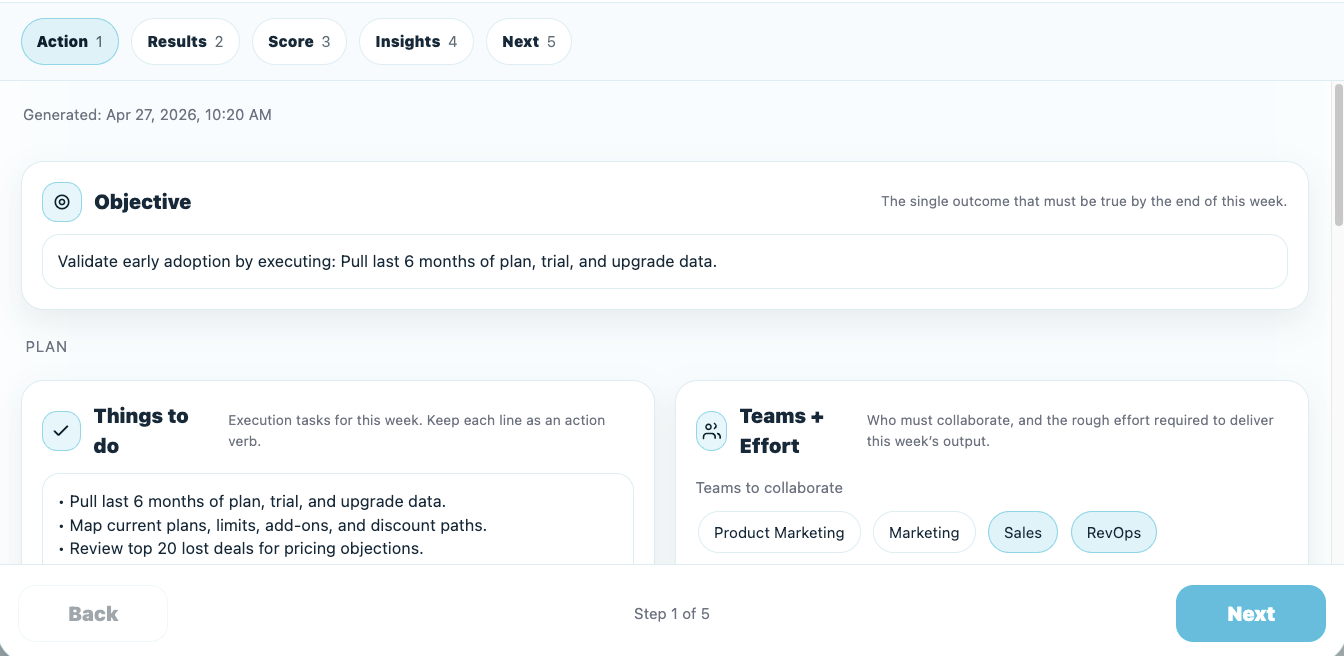
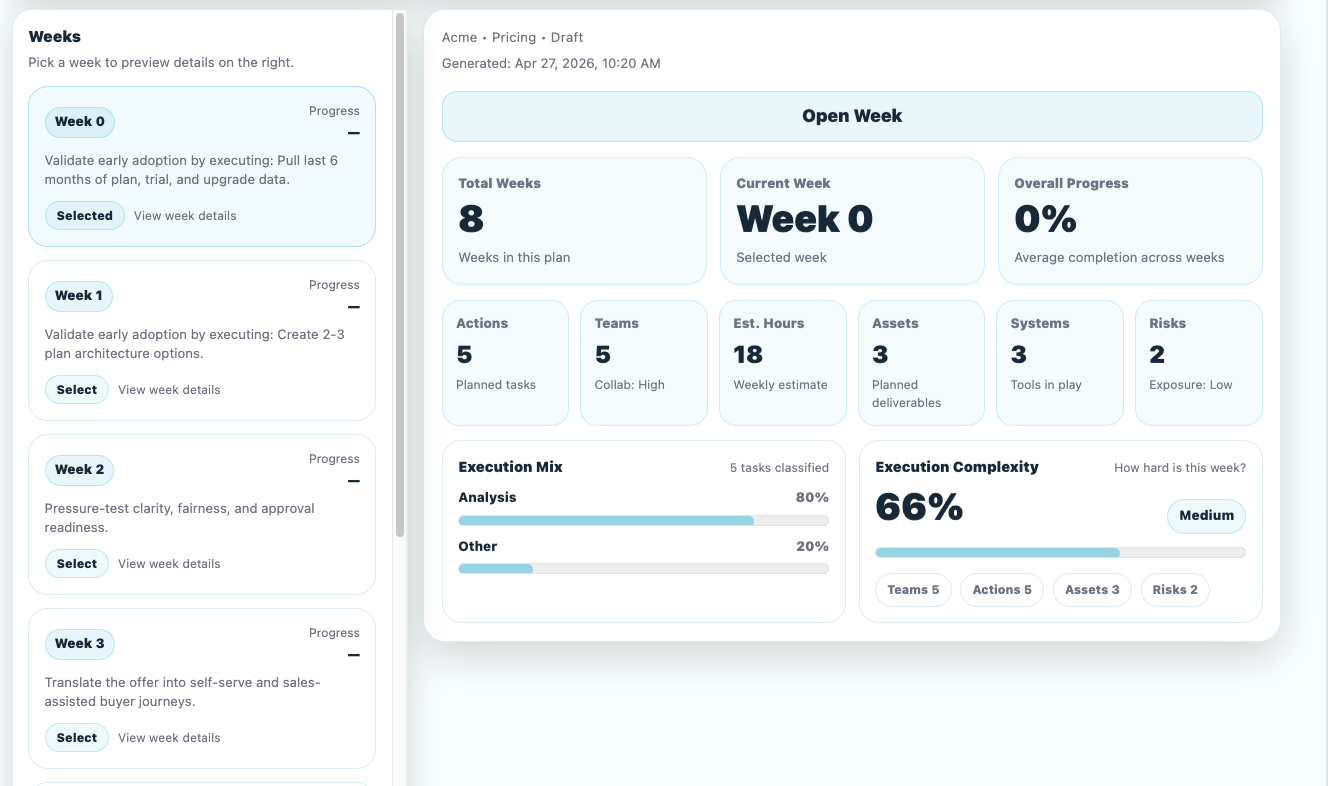
Execute weekly with GTM Pulse
Elevate Pulse supports a recurring operating cadence with priorities, team responsibilities, expected outcomes, metrics, and risks. Use available results to review what needs to change next.
- • Generate weekly execution plans
- • Track actions, outputs, and results
- • Measure execution performance
- • Identify gaps and next best actions
Align teams on execution
GTM Execution ensures product, marketing, sales, and RevOps teams operate in sync, working from the same plan and priorities.
- • Assign clear ownership across teams
- • Coordinate execution across functions
- • Eliminate silos and misalignment


Track execution and improve continuously
Review the available execution status and performance inputs alongside your plan. Use that evidence to identify gaps, update priorities, and decide what to do next.
- • Monitor execution progress and completion
- • Track outputs, results, and impact
- • Identify risks and blockers early
- • Feed insights back into the GTM system
Core Capabilities
GTM Pulse
Weekly execution planning and cadence
Workflow Execution
Structured GTM workflows and steps
Task & Ownership
Assign actions across teams
Execution Tracking
Monitor progress and completion
Output Management
Track assets and deliverables
Performance Feedback
Capture results and improve execution
Explore GTM Execution Use Cases
Execute launch plans with structured workflows
Launch a new product
→Execute expansion with clear actions and timelines
Enter a new market
→Drive execution across new segments and motions
Expand existing product
→Identify execution gaps and improve performance
Fix GTM performance
→Execute better messaging and sales plays
Improve win rates
→Coordinate execution across teams
Align cross-functional teams
→