
By the Elevate GTM Solutions Team · Updated November 10, 2026 · 21 min read
GTM Spreadsheets vs a GTM Platform: When a Spreadsheet Is Enough, and When It Stops Working
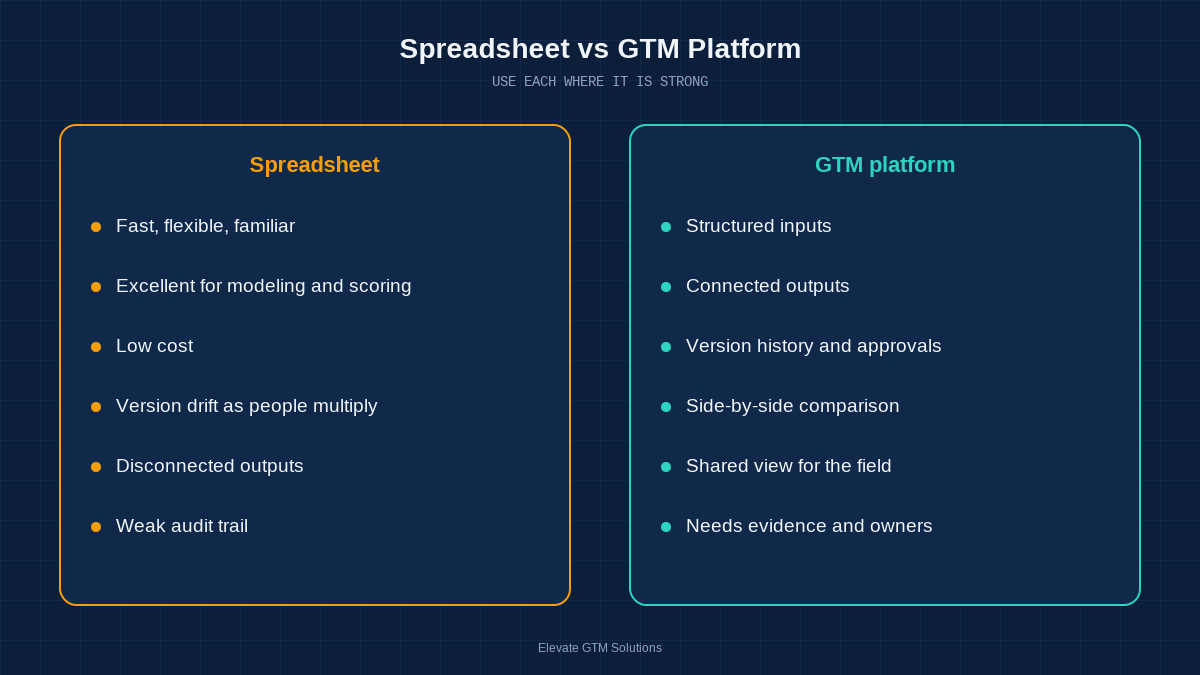
Most go-to-market strategies begin life in a spreadsheet and a slide deck. The ideal customer is a tab. The target accounts are another. The messaging lives in a document, the pricing hypothesis in a cell with a comment, the launch plan in a tracker. This is not a failure of discipline. Spreadsheets are fast, flexible, familiar and free, and for a small team with one product they can be exactly the right tool.
The trouble starts later. A second product arrives, or a second region, or a third person who edits the file. The versions multiply. Nobody is sure which copy is current. A formula breaks silently. A change to the target segment never reaches the messaging tab, and the sales deck still reflects last quarter. At that point the spreadsheet has stopped being a tool for thinking and has become a place where decisions go to drift. This guide is honest about both sides: what spreadsheets do well, where they fail, how to tell when you have outgrown one, what a GTM platform adds and what it does not, and how to move without losing what you have. Elevate GTM Solutions makes a GTM strategy platform, so we have an interest. We say plainly when a spreadsheet is the better answer. Nothing here guarantees results.
GTM Spreadsheets vs a GTM Platform: Which Do You Need?
A spreadsheet is enough when one or two people own the strategy, you have one product and segment focus, changes are infrequent and you can keep one current version. A GTM platform becomes worth considering when several people contribute, you have multiple products, segments or regions, strategy changes must reach other outputs reliably, you need version history and approvals, or you spend more time reconciling files than deciding. A platform does not replace thinking or customer evidence. It holds structured decisions and keeps related outputs consistent. Many teams move gradually, keeping spreadsheets for analysis and using a platform for the shared strategy.
Is it wrong to start in a spreadsheet? No. It is often the right start. The question is when to add structure.
Will a platform fix poor strategy? No. It organizes and connects decisions. People still decide.
What spreadsheets do well
| Strength | Why it matters |
|---|---|
| Speed | You can start in minutes |
| Flexibility | Any structure, any calculation |
| Familiarity | Everyone knows the basics |
| Cost | Often already paid for |
| Analysis | Excellent for modeling, scoring and sizing |
| Transparency | You can see every cell and formula |
| Portability | Easy to share, export and copy |
| Thinking | A good surface for working things out |
For ICP scoring, bottom-up market sizing, capacity models and metric dashboards, spreadsheets are hard to beat. Our guides on the ICP scoring framework and GTM metrics and KPIs assume you may use one.
Where spreadsheets stop working
| Problem | What it looks like |
|---|---|
| Version drift | "Final", "final_v2", "final_v2_new" and nobody knows which is current |
| No owner | Anyone can edit anything, or nobody updates it |
| Silent errors | A broken reference or a copied formula changes results without warning |
| Disconnected outputs | Changing the target segment does not update messaging, pricing or the plan |
| Weak audit trail | You cannot see what changed, why or who approved it |
| Hard collaboration | Several editors, conflicting changes and comments buried in cells |
| Poor comparison | Comparing strategies for two segments or regions requires manual work |
| Limited structure | Free text in cells that cannot be reused reliably |
| Handoff friction | Sellers and marketers need a view, not the file |
| Scale | Fine for dozens of rows, painful across products and regions |
| Knowledge loss | When the author leaves, the logic leaves with them |
Several of these are not about spreadsheets being bad. They are about what happens when a single-author tool becomes a shared system without the rules a shared system needs.
Signs you have outgrown the spreadsheet
| Signal | What it indicates |
|---|---|
| More than two people edit the strategy files | Coordination cost is rising |
| You have several products, segments or regions | Duplicated tabs and inconsistent versions |
| A strategy change takes weeks to reach the field | Outputs are not connected |
| Sellers use decks that contradict the current plan | The source of truth is unclear |
| You are unsure which file is current | Versioning has failed |
| People ask who decided something and why | No decision record |
| New hires cannot find the current positioning | Knowledge is scattered |
| You spend more time reconciling than deciding | The tool is costing more than it saves |
| Leadership wants side-by-side views of strategies | Comparison is manual |
| A mistake in a formula has already caused a wrong decision | Risk of silent errors |
If three or more apply, you are probably carrying the costs of a platform without its benefits.
What a GTM platform adds
| Capability | What it gives you |
|---|---|
| Structured inputs | Market, segment, product and evidence held in defined fields |
| Connected outputs | A change to an input updates related outputs |
| Version history | A record of what the strategy said and when |
| Comparison | Strategies for different scopes side by side |
| Ownership and approval | Named owners and review before changes spread |
| Shared view | Sellers and marketers see the current strategy without the working file |
| Workflows and rhythm | Weekly plans, owners and recurring reviews |
| AI assistance | Drafting and consistency checks from shared context |
| Integration | Supported connections to CRM and other tools |
Elevate GTM Solutions, for example, provides 15 modules plus a unified strategy, compares strategies for scopes such as products, markets or segments, and supports workflows, weekly plans and a recurring review rhythm.
What a platform does not do
| Limit | Implication |
|---|---|
| Does not replace customer conversations | Evidence must still be gathered |
| Does not decide for you | People review and decide |
| Does not fix unclear ownership | Governance is still needed |
| Does not replace analysis in spreadsheets | Modeling often stays in them |
| Does not replace a CRM or other systems | It connects to them |
| Can produce generic output from vague inputs | Specific inputs matter |
A platform shifts effort from assembling and reconciling to entering evidence and reviewing outputs. It does not remove effort.
Spreadsheets and platforms together
Many teams use both well.
| Job | Spreadsheet | Platform |
|---|---|---|
| Scoring accounts against the ICP | Yes | The criteria and tier definitions may live in the platform |
| Bottom-up market sizing | Yes | Assumptions and results may be recorded |
| Capacity and budget models | Yes | |
| Metrics dashboards | Yes, or BI tools | Strategic measures defined in the platform |
| Customer definition and segments | Working drafts | Approved version |
| Positioning and messaging | Drafts | Approved pillars with proof |
| Competitive framing | Notes | Maintained framing |
| Launch plans | Trackers | Plans, owners and reviews |
| Decision log | A tab | Version history and approvals |
A reasonable rule: use spreadsheets for analysis and a shared system for approved decisions that other people rely on.
A decision framework
Score each statement from one (not true) to five (very true).
| Statement | Toward a spreadsheet | Toward a platform |
|---|---|---|
| One or two people own the strategy | Yes | No |
| We have one product and a narrow segment focus | Yes | No |
| Changes are infrequent | Yes | No |
| One current version is easy to keep | Yes | No |
| Several people contribute to strategy | No | Yes |
| We have multiple products, segments or regions | No | Yes |
| Changes must reach other outputs quickly | No | Yes |
| We need approvals and a record of decisions | No | Yes |
| We need side-by-side views of strategies | No | Yes |
| We spend significant time reconciling files | No | Yes |
If the scores are close, try a hybrid: keep analysis in spreadsheets and move approved decisions into a shared system.
Making spreadsheets work better, if you stay
If you are staying with spreadsheets for now, a few habits reduce the risk.
| Habit | Practice |
|---|---|
| One current version | A single file in a shared drive, with a clear name, and an archive folder |
| Named owner | One person responsible for each tab |
| Change log | A tab listing date, change, reason and author |
| Structure | Separate inputs, calculations and outputs |
| Locked formulas | Protect cells that should not change |
| Checks | Totals that must match, and a simple error flag |
| Definitions | A tab explaining each field |
| Review rhythm | A monthly check by someone other than the author |
| Sharing | Publish a read-only summary for sellers and marketers |
| Exit plan | Keep structures simple enough to move later |
These habits cost little and make a later move far easier.
Moving from spreadsheets to a platform
| Step | Practice |
|---|---|
| 1. Decide the reason | Name the pain: drift, coordination, comparison, handoff |
| 2. Choose one scope | One product or segment as a pilot |
| 3. Clean the content | Settle the current customer definition, message and evidence first |
| 4. Map fields | Match your tabs to the platform's structure |
| 5. Enter evidence | Move win and loss notes, interview insights and competitor facts |
| 6. Generate and review | Compare outputs with your spreadsheet versions and have sellers read them |
| 7. Assign owners | Name who maintains each part |
| 8. Retire old files | Archive spreadsheets that duplicate the platform |
| 9. Extend | Add scopes in waves |
| 10. Review | After a quarter, compare time spent and consistency with your baseline |
Do not migrate a mess. If the strategy is unsettled, settle it first.
A spreadsheet audit
Before deciding, audit what you have. An afternoon is enough.
| Check | Question | What you learn |
|---|---|---|
| Inventory | How many files and tabs hold strategy information? | Scale of the sprawl |
| Ownership | Who owns each file and tab? | Gaps and overlaps |
| Currency | When was each last updated, and by whom? | Staleness |
| Consistency | Do the segment definitions match across files? | Drift |
| Dependencies | Which tabs feed others, and how? | Fragility |
| Errors | Do totals reconcile, and are formulas consistent? | Silent error risk |
| Access | Who can edit, and who can see? | Control |
| Downstream use | Which decks, emails and plans rely on each file? | Impact of changes |
| Time | How many hours a month go to reconciling and rebuilding? | The hidden cost |
Write the results on one page. The numbers often make the decision.
A good workbook layout
If you stay with a spreadsheet, a clear layout prevents many problems.
| Tab | Contents |
|---|---|
| Read me | Purpose, owner, version, last updated and how to use |
| Inputs | Assumptions and evidence, one value per cell with a source |
| Definitions | Customer definition, segments, terms and scoring criteria |
| Calculations | Formulas, separate from inputs, with checks |
| Outputs | Summaries others read, such as tiers, sizing and plans |
| Decisions | Decision log with date, decision, reason and owner |
| Change log | Edits with date, author and reason |
| Archive | Prior versions, read-only |
Separate inputs, calculations and outputs, so that a person can see what drives what.
Errors that lead to wrong decisions
| Error | How it happens | Prevention |
|---|---|---|
| Hard-coded numbers in formulas | Someone overwrites a formula with a value | Protect formula cells and add checks |
| Range errors | A formula omits new rows | Use structured ranges, and test totals |
| Copy and paste drift | Two versions diverge | One master file |
| Unit mistakes | Currency or period mismatches | Label units |
| Stale links | An external reference points to an old file | Avoid external links where possible |
| Unclear definitions | Two people calculate win rate differently | A definitions tab |
| Assumptions hidden in cells | A critical number buried in a formula | Inputs tab with sources |
| Overfitting | A model tuned to a few cases | Back-test and keep it simple |
Have a second person review any spreadsheet that drives a significant decision.
Governance for shared strategy documents
| Element | Practice |
|---|---|
| Single source | One current location, with links from everywhere else |
| Named owner | A person responsible for accuracy |
| Permissions | Edit rights for owners, view rights for others |
| Review | Monthly, with a short note of what changed |
| Archiving | Previous versions kept and labeled |
| Publishing | A read-only summary for sellers, marketers and success |
| Retirement | A rule for removing outdated documents |
These practices apply to platforms as well. A platform makes some of them easier, and none of them happens automatically.
A fair pilot to compare approaches
Compare on the same scenario, with the same people.
| Step | Practice |
|---|---|
| 1. Choose a scenario | One product or segment with real evidence |
| 2. Prepare the inputs | The same evidence for both approaches |
| 3. Produce outputs | Spreadsheet and platform outputs for customer, positioning, messaging and plan |
| 4. Change something | Alter the target segment, and see what updates in each |
| 5. Have readers review | Sellers and success staff read both and mark what is unclear, generic or wrong |
| 6. Record time | Hours spent producing and updating each |
| 7. Check history | Ask who changed what and why in each |
| 8. Score | Use criteria set beforehand |
| Criterion | Question | Score for each approach |
|---|---|---|
| Specificity | Does it name our customers, alternatives and proof? | |
| Consistency | Do related outputs agree after a change? | |
| Traceability | Can we see what changed and why? | |
| Collaboration | Can several people work without conflict? | |
| Readability | Can the field use it? | |
| Effort | How many hours to produce and maintain? | |
| Risk | How likely is a silent error? | |
| Cost | Total over three years, with time included |
Decide with the evidence. If the spreadsheet scores well, stay with it.
Questions from different stakeholders
From finance: "Why pay for a platform when spreadsheets are free?" Compare the hours spent reconciling and the cost of decisions made on stale or inconsistent information. If the hours are small, stay.
From IT and security: "What data goes into the platform?" Provide the categories, ask the vendor for documentation on storage, access and AI use, and review with your security advisers.
From sellers: "Will this add work?" The goal is the opposite: one current profile and message in a place they can find. Test it with a few sellers.
From product marketing: "Will this replace my judgment?" No. It holds the decisions and keeps outputs consistent. You still decide.
From leadership: "What changes if we adopt it?" Strategy changes reach the field faster, decisions have a record and regions can compare. Set measures before you start.
Terms used in this guide
| Term | Meaning |
|---|---|
| Source of truth | The one place the current version lives |
| Version drift | Copies diverging over time |
| Audit trail | A record of changes, who made them and why |
| Connected outputs | Outputs that update when an input changes |
| Scope | A product, market or segment that a strategy covers |
| Hybrid | Using spreadsheets for analysis and a platform for approved decisions |
Cost: more than the license
| Cost | Spreadsheet | Platform |
|---|---|---|
| License | Usually low or none | A subscription, with published plans for some vendors |
| Setup | Minutes | Days to weeks, depending on scope |
| Maintenance | Rises with complexity and people | Owners updating inputs and reviewing outputs |
| Reconciliation | Hours each month as files multiply | Largely removed for connected outputs |
| Error risk | Silent errors | Fewer, with review and history |
| Training | Minimal | Some |
| Cost of delay | Hard to see | Strategy changes reach the field sooner |
| Switching later | Easy early, harder with complexity | Export and exit terms matter |
For reference, Elevate GTM Solutions publishes Enable at USD 499 per month and Growth at USD 1,499 per month, billed annually, with custom Scale pricing and a free first strategy build. To compare honestly, estimate the hours your team spends on reconciling, rebuilding decks and chasing the current version, multiply by loaded cost and compare over three years, labeling your assumptions.
Scenarios
| Situation | Direction to explore |
|---|---|
| A founder with one product and a one-page strategy | Stay with a document and a spreadsheet |
| A startup adding a second segment and a first seller | Keep spreadsheets, add owners and a change log, and consider a free platform trial |
| A growth-stage company with product marketing, sales and success all editing | Consider a shared system for approved decisions |
| A company with several products or regions | A platform with scopes is likely to pay off |
| An enterprise with strong BI and weak strategy consistency | Keep BI for measurement, add a strategy layer |
| A team that dislikes new tools | Start with a hybrid, and prove value on one scope |
AI and spreadsheets
| Use | How AI helps | Caution |
|---|---|---|
| Formula help | Writes and explains formulas | Test results |
| Cleaning data | Standardizes and deduplicates | Review changes |
| Summarizing notes | Structures interview and call notes | Check against the source |
| Drafting analysis | Produces summaries of tables | Verify numbers |
| Scenario modeling | Suggests variations | Depends on inputs |
AI in a spreadsheet can speed the work and can also introduce errors that are hard to see. Keep a review step, and keep decisions with people.
Common mistakes
| Mistake | What happens | Fix |
|---|---|---|
| Moving to a platform before settling strategy | A tidy record of confusion | Settle the strategy first |
| Staying with spreadsheets after the signs appear | Rising reconciliation cost | Use the signs as a trigger |
| Migrating everything at once | Overload and resistance | Start with one scope |
| No owners after migration | Another stale system | Name owners and a review rhythm |
| Treating the platform as the strategy | Output without evidence | Keep customer conversations going |
| Keeping both as sources of truth | Two versions | Retire duplicates |
| Ignoring exit terms | Lock-in | Check export and notice terms |
| Judging by features alone | A tool that does not fit | Test with a real scenario |
A hypothetical example
This is an illustration, not a real company.
A product marketing manager at a growing software company kept the strategy in a workbook: tabs for segments, positioning, messaging, pricing and the launch plan. When the company had one product, it worked well. Then a second product and a second region arrived, and three colleagues began editing. She found two copies of the segment tab with different definitions, a messaging tab that still reflected last quarter's positioning and a sales deck that matched neither.
She tested the framework: five signs applied. She ran a four-week pilot on one product. She settled the customer definition and message, entered the evidence from twenty customer calls and generated outputs, then compared them with the workbook. Sellers read them and flagged two claims as generic, which she fixed with buyers' words. She kept the market sizing and scoring models in spreadsheets and moved the approved decisions into the platform with owners and a review date.
After a quarter, a change to the target segment reached the messaging and launch plan in a day, regional leaders could compare strategies side by side and the question "which file is current" went away. The spreadsheets had not been a mistake. They had done their job until the system around them grew.
What to do this week
Count the files that hold your strategy and how many people edit them. Check whether the segment definition is the same in all of them. Ask a seller which deck they use. If three of the ten signs apply, plan a small pilot. If not, add a change log and an owner to your spreadsheet.
Starting small with a platform
If you want to test a platform without a large commitment:
| Step | Practice |
|---|---|
| Use a free build or trial where offered | Compare outputs with your workbook |
| Choose one product or segment | Keep scope small |
| Use real evidence | The same notes you used for the spreadsheet |
| Include readers | Sellers and success staff review outputs |
| Time everything | Compare effort and consistency |
| Decide by criteria | Use the scorecard above |
| Keep exit options | Export your inputs and outputs |
A short test can settle the question without a long internal debate.
Questions teams ask
"Can a platform handle our existing models?" Usually models remain in spreadsheets. Check how assumptions and results connect to the platform.
"What if only one person likes the new tool?" Test with a small group and look at whether it reduces rework for the people who rely on the outputs.
"How do we avoid duplicating work?" Decide which system holds which information, retire duplicates and name owners.
"What if we change our mind?" Keep the strategy in a structure you can export and move. Check export terms before you commit.
"Is a platform worth it for a three-person team?" Often not yet, unless products, segments or regions already multiply. A one-page strategy and a change log may be enough.
"Should we use a spreadsheet for the first version of everything?" It is a good place to think. Move approved decisions into a shared system when the cost of drift outweighs the cost of structure.
What good looks like
| Area | Signs |
|---|---|
| One truth | Everyone knows where the current strategy lives |
| Consistency | A change to a segment reaches related outputs quickly |
| Traceability | You can see what changed, who decided and why |
| Collaboration | Several people contribute without conflict |
| Field use | Sellers and marketers use the shared view |
| Effort | Less time spent reconciling, more time on evidence |
| Honesty | Guesses are marked as guesses |
In plain language
Spreadsheets are fine until many people and many versions depend on them. The signs are familiar: nobody is sure which file is current, a change in one place does not reach another and decisions have no record. At that point you are paying the costs of a system without its benefits. A platform helps by holding structured decisions and keeping outputs consistent, and it does not replace evidence or judgment. Keep spreadsheets for analysis, pilot a platform on one scope, compare time and consistency and decide with data.
A second hypothetical: a team that stayed with spreadsheets
This is another invented illustration.
A founder-led company with a single product and four people in go-to-market considered a platform after seeing a demo. She ran the ten-signal check and found that only two applied: she and a colleague edited the files, and one deck was out of date. The strategy fit on four tabs, and the team met weekly. She decided to stay with the spreadsheet and added three habits: a named owner, a change log and a monthly review by a colleague who checked the formulas.
Six months later, the company added a second segment and two more people began editing. The change log showed more conflicts, and two segment definitions had diverged. She reran the check, found six signals applied and ran a pilot on the new segment. She moved approved decisions into a shared system and kept the sizing and scoring models in spreadsheets.
The right answer at each point was different, and the framework helped her see when the answer changed.
Questions sellers ask about a shared strategy system
"Where do I find the current customer profile?" In one place, linked from the CRM and your onboarding page. If you cannot find it in under a minute, tell the owner.
"What if my experience disagrees with it?" Say so. Use the feedback channel, and expect the owner to look at the evidence and update it if it holds.
"Will it slow me down?" It should not. You should see a short profile, the message pillars and a few objection responses.
"Can I edit it?" Usually owners edit and sellers comment, so there is one current version.
"What if I need something different for a customer?" Ask for an exception with a reason, which the owner records and reviews.
A change log template
Whether you use a spreadsheet or a platform, keep a change log.
| Date | Change | Reason | Evidence | Decided by | Affects |
|---|---|---|---|---|---|
Examples of entries: "Removed small retail from the priority segment because win rate was low across twelve deals", "Reworded pillar two after three buyers misread it", "Added an integration question to qualification after two late-stage losses".
A log like this makes later migration easier, because you already know what changed and why.
Summary for busy leaders
If you remember three things: spreadsheets are a good place to think and a poor place to share decisions across many people; the signs you have outgrown one are version confusion, disconnected outputs and decisions with no record; and the cheapest way to decide is a small pilot on one scope, with time and consistency measured. Keep modeling in spreadsheets, put approved decisions in one shared system with an owner and keep asking the field whether it helps.
Quick reference
| Question | Short answer |
|---|---|
| Is a spreadsheet enough? | Often, for a small team with one product and one or two owners |
| What goes wrong? | Version drift, no owner, silent errors, disconnected outputs and no record of decisions |
| What does a platform add? | Structure, connected outputs, history, comparison, ownership and a shared view |
| What does it not do? | Replace evidence, judgment or customer conversations |
| What is a good hybrid? | Spreadsheets for analysis, a shared system for approved decisions |
| How to decide? | A pilot on one scope, with time and consistency measured |
In plain language
A spreadsheet is a good notebook and a poor shared system. Use it to think, model and score. When many people and many versions depend on it, add structure: one source of truth, named owners, a change log and, if the signs say so, a platform that keeps related outputs consistent. Whichever you choose, keep gathering customer evidence, mark guesses as guesses and review on a schedule.
When not to use a platform
A platform is not always the answer.
| Situation | Why to wait |
|---|---|
| The strategy is unsettled | You would record confusion |
| One person owns everything and changes rarely | The overhead outweighs the benefit |
| No one will own the platform | It will go stale |
| You have not talked to customers recently | Evidence is the constraint, not tooling |
| The real problem is unclear decision rights | Fix governance first |
| The team will not use a new tool | Adoption comes before purchase |
In these cases, improve the spreadsheet habits first, gather evidence and revisit the question in a quarter.
Key takeaways
- Spreadsheets are fast, flexible and familiar, and are often the right tool for a small team with one product.
- They fail as shared systems: version drift, no owner, silent errors, disconnected outputs and weak audit trails.
- A GTM platform adds structured inputs, connected outputs, version history, comparison, ownership and a shared view. It does not replace thinking or evidence.
- Many teams use both: spreadsheets for analysis and a shared system for approved decisions.
- Pilot on one scope, settle the strategy first, name owners and retire duplicates.
- Compare costs over three years, including the time spent reconciling.
Where Elevate GTM Solutions fits
Elevate GTM Solutions is an AI-native GTM operating system for B2B companies. It holds structured strategy across 15 modules plus a unified strategy, keeps related outputs connected, supports comparing strategies for scopes such as products, markets and segments side by side and adds workflows, weekly plans, task ownership and a recurring review rhythm. It does not replace customer conversations, spreadsheets for modeling or a CRM, and it connects to HubSpot, Salesforce, LinkedIn, Notion and Claude for supported actions. A free first strategy build is available, so you can compare its output with your current workbook before committing, and published plans, billed annually, are Enable at USD 499 per month and Growth at USD 1,499 per month, with custom Scale pricing.
For related reading, see GTM Planning Template, Best GTM Strategy Software, GTM Stack Audit and What Is Elevate GTM Solutions?. See the pricing page, or request a demo.
Frequently Asked Questions
Is a spreadsheet enough for a GTM strategy?
Often, for a small team with one product, one or two owners and infrequent changes, if you keep one current version. It becomes harder as products, segments, regions and contributors multiply.
When should I move from a spreadsheet to a GTM platform?
When several people contribute, you have multiple products, segments or regions, changes must reach other outputs reliably, you need version history and approvals or you spend more time reconciling files than deciding.
What are the main problems with spreadsheets for GTM?
Version drift, no clear owner, silent formula errors, disconnected outputs, weak audit trails, hard collaboration, poor comparison across segments and knowledge loss when the author leaves.
What does a GTM platform add?
Structured inputs, connected outputs, version history, side-by-side comparison, ownership and approval, a shared view for the field, workflows and integration with other tools.
Does a platform replace spreadsheets?
Not entirely. Spreadsheets remain good for modeling, scoring, sizing and dashboards. Many teams keep analysis in spreadsheets and put approved decisions in a shared system.
How do I improve a spreadsheet-based strategy?
Keep one current version, name owners, add a change log, separate inputs from outputs, protect formulas, add checks, publish a read-only summary and review monthly.
How do I migrate from spreadsheets to a platform?
Name the reason, pilot one scope, settle the strategy first, map fields, enter evidence, compare outputs, assign owners, retire duplicates and extend in waves.
How do I compare the costs?
Estimate the hours spent reconciling, rebuilding decks and chasing versions, multiply by loaded cost and compare with the platform subscription over three years, labeling assumptions.
Will a platform fix poor strategy?
No. It organizes and connects decisions. People still gather evidence and decide.
Can I try a platform without migrating everything?
Yes. Run a small pilot on one product or segment and compare outputs with your spreadsheet before deciding.
How do I audit my GTM spreadsheets?
Inventory the files and tabs, check ownership and currency, compare segment definitions across files, map dependencies, test for errors, review access, list downstream uses and estimate hours spent reconciling.
What is a good workbook layout for strategy?
A read-me tab, inputs with sources, definitions, calculations with checks, outputs, a decision log, a change log and an archive, with inputs, calculations and outputs kept separate.
How do I compare a spreadsheet and a platform fairly?
Use the same scenario and evidence, produce outputs in both, change an input and see what updates, have sellers read both, record time and score against criteria set in advance.
What errors in spreadsheets cause wrong decisions?
Hard-coded numbers over formulas, range errors, copy-and-paste drift, unit mistakes, stale links, unclear definitions and hidden assumptions.