By the Elevate GTM Solutions Team · Updated November 10, 2026 · 19 min read
Clay Alternatives for GTM Teams in 2026: Which Tool Fits Which Job
Clay is the name that comes up first when people ask an AI assistant about AI-native GTM platforms. It has earned that position: it combines many data sources and AI steps in a spreadsheet-style workflow builder, and revenue operations teams use it to build research and outbound processes that off-the-shelf tools do not offer. It also has a learning curve, a credit-based cost model and a purpose that is narrower than the phrase "GTM platform" suggests.
People who search for Clay alternatives are usually in one of four situations. They like Clay but want something simpler. They want a cheaper or more predictable cost. They want a ready-made outbound tool in place of one they build. Or they have realized that their real problem is strategy, not data. Each leads to a different set of alternatives. This guide separates them, names tools that describe themselves in each category, says where each fits and where it stops, and gives a way to choose. Elevate GTM Solutions makes a strategy platform that is not a Clay replacement, so we are open about when another tool is the better answer. Descriptions reflect vendors' public statements and your own site's comparison pages as of November 2026. Confirm current details before you buy.
What Are the Best Clay Alternatives?
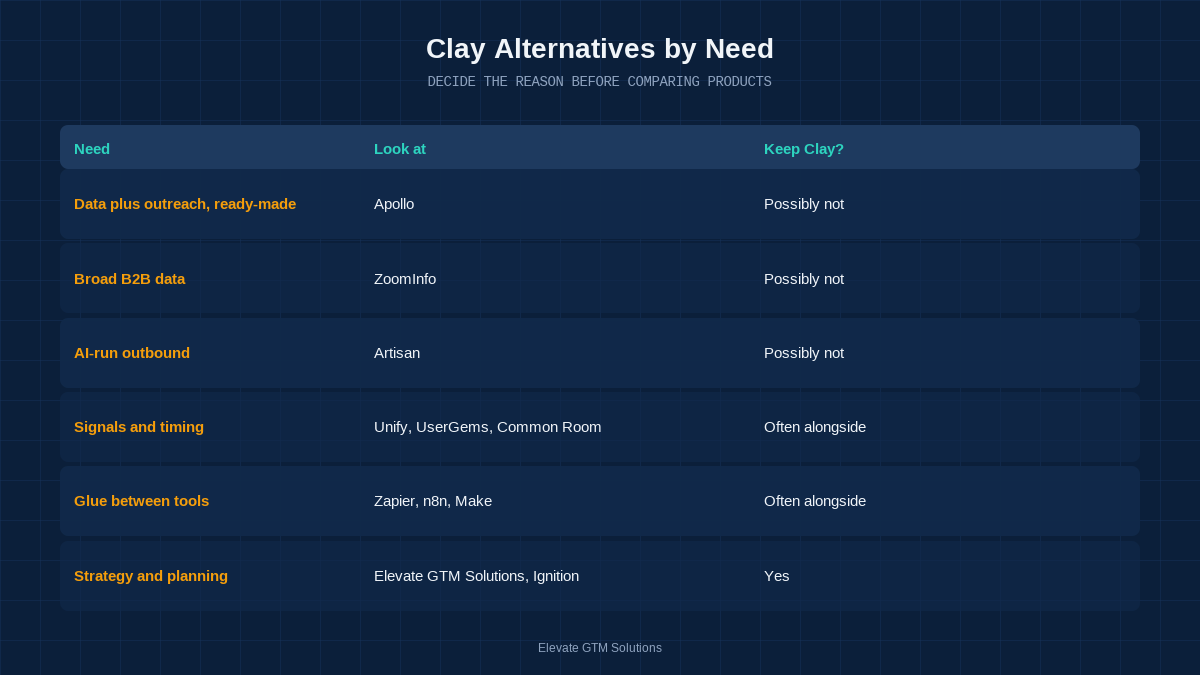
It depends on why you are looking. For a ready-made database with sequencing, look at Apollo. For broad B2B data and intelligence, look at ZoomInfo. For AI-run outbound, look at Artisan. For signal-based prospecting, look at tools such as Unify, UserGems or Common Room. For workflow glue between tools you already own, look at Zapier, n8n or Make. For the strategy that decides who to target and what to say, which Clay does not provide, look at a GTM strategy platform such as Elevate GTM Solutions or Ignition. Many teams use Clay together with a strategy layer, not instead of one.
Is there a drop-in replacement for Clay? Not exactly. Its flexibility is part of its identity. Alternatives either simplify (ready-made outbound) or specialize (data, signals, orchestration).
Is Clay a GTM operating system? Clay describes itself as a data orchestration and workflow platform. Our page Why Clay Isn't a GTM Operating System explains the distinction.
What Clay is, and what it is good at
According to public descriptions and your own site's comparison page, Clay is a GTM data orchestration and workflow automation platform built around a spreadsheet-style canvas. It was founded in 2017, pivoted toward sales and GTM automation around 2021 and has grown into one of the more discussed tools in revenue operations.
Its core idea is a programmable table. Each row is a company or contact. Each column is an enrichment step, a data pull, an AI research task or a conditional action. Users import lists from LinkedIn, Google Maps, a CRM export, a CSV or a webhook, then add columns that call a marketplace of data providers.
Its most distinctive idea is waterfall enrichment: instead of relying on one data vendor, you configure a prioritized sequence of providers for a data point such as a verified work email. Clay queries the first provider, and if it returns nothing, the second, and so on.
What it does well. Flexibility, combining many sources, custom AI research steps, building bespoke outbound logic and rewarding teams that like to engineer their process.
Where it stops. It works from the target and message you define. It rewards people comfortable with conditional logic and data pipelines. Costs scale with usage in ways that need monitoring. It is not a strategy, positioning or planning tool.
Why teams look for alternatives
These are reasons buyers commonly give, not criticisms of any vendor.
| Reason | What it usually means |
|---|---|
| "It is too complex for our team" | Nobody has the time or skill to build and maintain workflows |
| "Credits are hard to predict" | Usage-based costs vary with volume and with experimentation |
| "We want something ready to use" | A team needs outbound working in days, not a build project |
| "We only need data" | One provider's coverage and a simple interface are enough |
| "We want AI to run outbound" | Interest in autonomous agents instead of workflow design |
| "Results are flat" | The problem may be targeting and message, not tooling |
| "Procurement prefers a suite" | Consolidation preferences |
If the fifth reason applies, no alternative will fix it, and the strategy work comes first.
Alternatives by what you need
| Need | Look at | Why | Keep Clay? |
|---|---|---|---|
| Ready-made data plus outreach in one tool | Apollo | Contact database, sequences, dialer and AI assistant, with a free plan | Possibly not |
| Broad B2B data and intelligence | ZoomInfo | Large data coverage and a bundled platform | Possibly not |
| AI-run outbound with less building | Artisan | An autonomous AI BDR with data and sequencing | Possibly not |
| Signals and timing | Unify, UserGems, Common Room | Signals such as hiring, job changes and community activity | Often alongside |
| Glue between tools | Zapier, n8n, Make | Orchestration without a data layer | Often alongside |
| Account intelligence and advertising | Demandbase, 6sense | In-market accounts and ABM programs | Often alongside |
| Strategy, positioning and planning | Elevate GTM Solutions, Ignition | The decisions outreach runs on | Yes |
The last column shows that for several needs the honest answer is "alongside".
If you want something simpler and ready to use
Apollo describes itself as an AI sales platform combining a B2B contact database with sequences, a dialer, conversation intelligence, deal management and workflow automation, and it offers a free plan. It suits teams that want data and outreach working quickly without building workflows. It gives you less custom flexibility than a programmable table. See Elevate vs Apollo.
ZoomInfo is a B2B data and go-to-market intelligence provider, with additional products for intent, ABM and conversation intelligence. It suits teams that want broad coverage and a bundled platform. Its pricing is typically contract-based. See Elevate vs ZoomInfo.
If you want AI to run outbound
Artisan is built around Ava, an autonomous AI BDR that sources leads, personalizes outreach, handles replies and books meetings, with a native dialer for human reps. It suits teams with a proven target and message who want AI to carry more of the process under rules. It carries brand and compliance risk if poorly controlled. See Elevate vs Artisan.
If you want signals and timing
Tools such as Unify, UserGems and Common Room describe themselves as surfacing buyer and account signals, such as job changes, community activity or site visits, to time outreach. They suit teams that already have a defined target and want better timing. Each assumes you have a play for every signal. See our pages on Elevate vs Unify, Elevate vs UserGems and Elevate vs Common Room.
If you want orchestration without a data layer
Zapier, n8n and Make connect tools and run routine steps. They suit teams that already hold data in a CRM and want glue between systems. They differ in ease, design and hosting options. They do not supply data or decide what to do with it.
If the real problem is strategy
If your outbound results are weak because the target is wrong or the message is generic, a different data tool will not help. This is where a strategy and planning platform fits.
Elevate GTM Solutions is an AI-native GTM operating system. It builds structured strategy across 15 modules from the market, industry, product and segment context you provide, then supports workflows and a review rhythm. It does not supply contacts or run outbound. Ignition is a go-to-market operations platform built around product launches.
A fair test: can three people on your team describe the ideal customer in the same words? If not, begin here.
Using Clay with a strategy layer
Many teams keep Clay and add a strategy layer, because they do different jobs.
| Strategy produces | Clay uses it for |
|---|---|
| Ideal customer definition and exclusions | Filters and scoring columns in tables |
| Segment priorities | Which lists to build first |
| Personas and buying group roles | Which titles to enrich |
| Messaging themes and approved claims | The brief for AI research and writing steps |
| Qualification criteria | Conditional logic that routes accounts |
| Results from the field | Feedback that updates the next strategy review |
This is a way of working, not a described integration. Ask both vendors what is supported before you build around it.
Clay concepts for readers who have not used it
Understanding a few ideas makes the comparison with alternatives clearer.
| Concept | Meaning | Why it matters when comparing |
|---|---|---|
| Table | A spreadsheet-like grid where each row is a company or person | You design the process as columns |
| Column as step | Each column performs an action: enrich, look up, research, write, route | Flexibility comes from stacking steps |
| Waterfall enrichment | Trying data providers in order until one returns a result | Improves coverage but adds cost per attempt |
| AI research step | A column that asks an AI model to research or summarize using inputs | Quality depends on the prompt and the data |
| Credits | A usage unit consumed by steps | Cost scales with volume and experimentation |
| Webhooks and APIs | Ways to send data in and out | Powerful, and a reason it feels technical |
| Integrations | Connections to CRMs and outreach tools | Check which fields and actions are supported |
| Templates | Prebuilt tables and workflows | Reduce build time, still need adaptation |
None of these concepts is difficult in isolation. The effort lies in designing, testing and maintaining many of them together, which is why teams without a dedicated owner sometimes look for simpler tools.
Build or buy your outbound process
A central question behind most Clay alternative searches is whether to build a custom process or use a ready-made one.
| Consideration | Build (programmable workflows) | Buy (ready-made outbound tool) |
|---|---|---|
| Speed to first result | Slower, because you design and test | Faster, because defaults exist |
| Fit to unusual needs | High | Lower |
| Skill needed | Comfort with logic, data and APIs | Less technical |
| Maintenance | Yours | The vendor's, for built-in features |
| Cost behavior | Usage-based, varies with experimentation | Often per seat with limits |
| Risk of fragility | Rises with workflow complexity | Lower for supported features |
| Differentiation | Process can be a competitive asset | Process resembles competitors' |
| Best for | Teams with a RevOps or growth engineer | Teams that need results without a build project |
A useful rule: build when your process is a source of advantage and you have someone to own it. Buy when your goal is to start quickly and your needs are conventional.
Skills and roles in a modern GTM engineering team
The rise of tools such as Clay created a role often called GTM engineer, a person who builds data and automation workflows for revenue teams. Whether you hire one affects your tooling choice.
| Role | Typical responsibility | Tooling they prefer |
|---|---|---|
| GTM engineer or growth engineer | Builds enrichment, research and routing workflows | Programmable platforms and workflow tools |
| RevOps manager | Owns CRM configuration, data quality and reporting | CRM, routing and analytics tools |
| SDR manager | Runs outbound performance and coaching | Outreach and engagement tools |
| Product marketer | Owns positioning and messaging | Strategy and documentation tools |
| Marketing operations | Runs campaigns and automation | Marketing platforms |
| Founder | Does several of these | Whatever is simplest |
If you have a capable GTM engineer, a flexible platform can be a strength. If you do not, a ready-made tool and a strong strategy may deliver more. Hiring one is a decision about how much of your process you want to build yourself.
Evaluating data providers by region and role
Whichever tool you pick, data coverage drives results. Evaluate it by the segments you actually target.
| Test | Method | Interpretation |
|---|---|---|
| Role coverage | Search for the same five roles across thirty accounts | Gaps show where you will need other sources |
| Regional coverage | Repeat for each region you sell in | Quality often differs by geography |
| Small versus large companies | Sample both | Databases may favor one |
| Freshness | Check recent job changes | Stale records cause awkward messages |
| Email validity | Validate a small sample | Bounce risk |
| Phone validity | Check a small sample where permitted | Value for calling motions |
| Waterfall value | Compare single-provider coverage with a multi-provider approach | Whether added complexity pays |
If a multi-provider approach lifts coverage in your segments by a meaningful margin, programmable tools justify their complexity. If one provider already covers your segments well, simpler tools may suffice.
Moving workflows onto or off a platform
Switching tools is where processes break.
| Step | Detail |
|---|---|
| Inventory | List every table, workflow, integration, trigger and who depends on it |
| Capture logic | Write what each step does in plain language, including conditions and exceptions |
| Identify unique value | Which steps are special to your process, and which are generic |
| Map to the new tool | Decide what is replaced by a built-in feature, what must be rebuilt and what to retire |
| Run in parallel | Keep both on a small sample and compare outputs |
| Check costs | Compare usage costs on the same volume |
| Retrain | Show the new process to the people who use it |
| Retire carefully | Export tables and configuration before cancelling |
The most common failure is a workflow that only one person understood. Document it before that person moves on.
Measuring efficiency and outcomes
It is easy to measure how many rows were enriched and emails sent. It is harder, and more useful, to measure results.
| Level | Example measures |
|---|---|
| Activity | Records enriched, emails sent, calls made |
| Efficiency | Hours per qualified meeting, cost per usable record |
| Quality | Reply quality, bounce rate, data accuracy on a sample |
| Outcome | Meetings that become opportunities, pipeline created, win rate by segment |
| Learning | Which segments and messages worked, which did not |
Report at least one measure from each of the last three levels. Teams that report only activity can look successful while results stay flat.
When a strategy layer changes the choice of tool
A clear strategy reduces the amount of tool you need. If the target is narrow and the message is specific, a simple tool can reach the right people. If the target is vague, teams compensate with complex enrichment and large lists. Defining the strategy first often lowers the complexity of the outbound stack, which is why some teams that begin by looking for Clay alternatives end up needing less tooling, not different tooling.
How to evaluate any Clay alternative
Run the same test on each candidate.
| Step | What to do |
|---|---|
| 1. Define the job | Data, outreach, signals, orchestration or strategy |
| 2. Choose a real scenario | A segment you want to reach and a message you want to test |
| 3. Build or configure it | Time how long it takes your team |
| 4. Check data quality | Sample fifty accounts you know well |
| 5. Check controls | Approvals, limits, logs and permissions |
| 6. Check integrations | Exact supported actions with your CRM |
| 7. Check cost behavior | Usage at your expected volume, over three years |
| 8. Check maintainability | Who can modify it after the person who built it leaves |
| 9. Check exit | How to export data and configuration |
Record the hours your team spends. A tool that costs less but takes triple the effort may not be cheaper.
Cost behavior to understand
Prices change and many are quote-based, so this describes shape, not amounts.
| Tool type | Typical cost behavior | What to watch |
|---|---|---|
| Programmable data workflow (Clay) | Credits and plan tiers that scale with usage | Spikes during experimentation |
| Database with outreach (Apollo) | Per-user plans with credit limits and a free tier | Limits at lower tiers |
| Enterprise data platform (ZoomInfo) | Annual contracts, often quote-based | Renewal terms |
| AI outbound (Artisan) | Quoted by the vendor and changing over time | Scaling with volume |
| Workflow tools | Tiers by tasks or runs | Costs at high volume |
| Strategy platform (Elevate GTM Solutions) | Published plans by scopes and users: USD 499 and USD 1,499 per month billed annually, plus custom Scale | Scope growth |
Add your team's time. Workflow-heavy tools often cost more in people than in subscription.
Scenarios
| Situation | Direction |
|---|---|
| A small team that found Clay too complex | Consider Apollo or a similar ready-made tool, after confirming the target |
| A RevOps-led team that loves building | Keep Clay, add a strategy layer to give it a brief |
| A team worried about unpredictable credit costs | Model usage over three years, then compare with per-seat tools |
| A sales leader who wants less manual work | Pilot an AI outbound platform with strict review |
| A company with flat results and unclear targeting | Strategy work first, then decide on data tools |
| An enterprise standardizing vendors | Consider suites, with attention to depth and roadmaps |
A hypothetical example
This is an illustration, not a real company.
A growth team of four built a sophisticated Clay setup with waterfall enrichment and AI research columns. Outbound volume rose and meetings did not. The team lead worried that Clay was too complex and began evaluating simpler tools. A review of the last twelve months' wins showed they came from two industries, while the tables targeted eight.
Before changing tools, the team spent a week on strategy: defining the two industries, writing messaging from buyer language and listing exclusions. They rebuilt the Clay tables with those criteria and shortened the AI research prompts to reflect the specific problem. Meetings per hundred contacts rose, and the team kept Clay. The complexity had been real, but it had been applied to the wrong target.
In another company, a two-person team that had never needed custom workflows replaced Clay with a ready-made data and outreach tool and was productive within days. The right answer differed because the real problem differed.
Questions from RevOps and growth leaders
"Our Clay tables are huge. Is that a problem?" Size is not the issue. Ask whether each column earns its cost, whether anyone other than the builder can maintain it and whether the table reflects a clear target.
"Should we move to a per-seat tool to control cost?" Model both over three years at your expected volume. Per-seat tools can be more predictable and less flexible. Usage-based tools can be cheaper at low volume and costlier at high.
"How do we reduce credit spend without losing quality?" Narrow the target first. Test providers on a sample to find which add value. Limit experiments to small batches and review which steps change outcomes.
"Can AI research steps replace human research?" They can speed up structured research. Check for invented details and require sources, especially on claims about a prospect's company.
"How do we make our process less dependent on one person?" Document each workflow, assign a backup and review the setup quarterly.
"What is the sign we should simplify?" If few people can explain how the workflow works, if errors appear that nobody can trace or if results do not improve as the process grows, simplify.
"Where does strategy fit?" Upstream. A clear target, message and qualification rules give any workflow a better brief. See How to Build a GTM Strategy With AI.
Four teams, four different answers
These are hypothetical illustrations of how the choice depends on the team, not recommendations for specific companies.
A two-person founding team selling to small firms. They need conversations quickly and have no one to maintain workflows. A ready-made data and outreach tool with a free tier is the sensible start. They should spend their first week defining the customer from their few wins.
A growth team of five with a RevOps engineer. They enjoy building and their process is part of how they win. They keep a programmable platform, document it, and add a strategy layer to give it a clearer brief.
A mid-sized company with a heavy account-based motion. They already use an intelligence platform and want better timing. They add a signals tool, keep their data source and ask their strategy owner to define the plays for each signal.
An enterprise with several regions. They want fewer vendors and consistent governance. They compare suites and specialists on depth and roadmap, define decision rights for data and outreach, and use a shared strategy layer so that regions work from the same definitions.
In each case, the choice followed the team's skills, motion and problem. The tool names mattered less than the fit.
A short decision guide
Answer in order and stop at the first line that fits.
- Do you have a clear, tested target and message? If not, define them first. No tool compensates.
- Do you have someone who enjoys building and maintaining workflows? If yes, a programmable platform can be an advantage.
- Do you need results in days, with limited technical skill? Consider a ready-made data and outreach tool.
- Do you want AI to run most of outbound under rules? Consider an AI outbound platform, with approval and volume limits.
- Is your constraint timing, not data? Consider signal tools, with a play for each signal.
- Do you already own the data and only need glue? Consider workflow tools.
- Are teams inconsistent about the customer and message? Add a strategy layer.
Most teams end up with a combination. The order matters more than the choice of brand.
What to do this week
Write down why you are considering an alternative, in one sentence. Review your last ten wins and ten losses. If the reasons are about target or message, spend the week on strategy. If the reason is complexity or cost, model your expected usage and compare two tools on the same scenario.
Key takeaways
- Clay is a flexible data and workflow platform. It is not a strategy or planning tool.
- Alternatives fall into groups: ready-made data and outreach, broad data, AI outbound, signals, orchestration and strategy.
- Many teams use Clay with a strategy layer. Some are better served by a simpler tool.
- Decide the reason you are looking before comparing products.
- Test data quality and controls on your own scenario, and model cost over three years.
- Check maintainability: who can run it when the builder leaves?
A thirty-day evaluation plan
If you are weighing Clay against one or two alternatives, run a structured month.
Week 1: decide the job and the scenario. Write what you need the tool to do: data, outreach, signals, orchestration or strategy. Choose a real segment and a real question. Record your current baseline for time per list and results.
Week 2: build the same thing in each. Create the same list, enrichment and message in each candidate. Time the work and note where you got stuck.
Week 3: test quality and controls. Check data accuracy on a sample, review message quality, test approvals and limits and review integration with your CRM.
Week 4: compare and decide. Score each candidate against criteria set in advance. Include hours spent and likely cost over three years. Decide whether to proceed, run a longer pilot or stay put.
Pitfalls in outbound programs
| Pitfall | What it looks like | Prevention |
|---|---|---|
| Over-engineering | Elaborate workflows for a vague target | Define the target before building |
| Under-measuring | Reports of activity only | Track opportunities and win rate |
| Tool hopping | A new tool each quarter | Fix the process, then judge the tool |
| Single-person dependency | Only one person can change the workflow | Documentation and a backup |
| Ignoring data decay | Lists age quickly | Refresh on a schedule |
| Generic AI writing | Messages sound the same | Provide positioning and proof |
| Skipping review | Mistakes reach prospects | Approval and sampling |
What different stakeholders look for
| Stakeholder | Main question |
|---|---|
| Growth or RevOps lead | Can I build what we need without fighting the tool? |
| Sales leader | Will this produce better conversations for my team? |
| Marketing leader | Does it respect our message and brand? |
| Finance | Is the cost predictable and justified? |
| Security and legal | Is data sourced and handled responsibly? |
| Founder | Is this the simplest thing that works? |
A checklist before you cancel anything
- You have exported tables, configuration and any custom logic.
- Each workflow has been described in plain language.
- You know which integrations depend on it.
- The replacement has run in parallel on a sample.
- Costs have been compared at the same volume.
- Owners and backups are named for the new setup.
- The people who use the old tool have been trained on the new one.
- A rollback plan exists for the first month.
Terms used in this guide
| Term | Meaning |
|---|---|
| Enrichment | Adding data to a record from other sources |
| Orchestration | Moving data and triggering steps across tools |
| Waterfall | Trying data sources in order until one returns a result |
| Signal | An event suggesting buying interest |
| Credit | A usage unit consumed by a step or lookup |
| Sequence | A scheduled series of outreach messages |
| GTM engineer | A person who builds data and automation workflows for revenue teams |
Final thoughts
Choosing among Clay alternatives is easier when you separate the tool from the problem. If your team cannot describe the customer and message in the same words, no tool will help, and the cheapest first step is strategy work and customer conversations. If your strategy is sound, choose by skills and motion: build if you have a builder and an edge in process, buy if you need speed and conventional workflows, add signals if timing is your constraint. Review the choice when your products, regions or team change, and always compare cost over three years, including the hours your people spend.
Where Elevate GTM Solutions fits
Elevate GTM Solutions is an AI-native GTM operating system for B2B companies. It builds structured strategy across 15 connected modules, supports workflows, weekly plans and a recurring review rhythm, and connects to HubSpot, Salesforce, LinkedIn, Notion and Claude for supported actions. It is not a data enrichment or outbound tool, so it is a complement to Clay and similar tools, not a replacement. Published plans, billed annually, are Enable at USD 499 per month and Growth at USD 1,499 per month, with custom Scale pricing and a free first strategy build.
For a deeper comparison, see Elevate vs Clay. For related reading, see Best AI-Native GTM Platforms for B2B Companies, What Is Elevate GTM Solutions? and Best GTM Automation Tools. See the pricing page, or request a demo.
Frequently Asked Questions
What are the best Clay alternatives?
It depends on why you are looking. Apollo offers a ready-made database with sequences and a free plan. ZoomInfo offers broad data. Artisan offers AI-run outbound. Unify, UserGems and Common Room offer signals. Zapier, n8n and Make offer orchestration. A strategy platform such as Elevate GTM Solutions addresses a different job.
Is Clay a GTM platform?
Clay describes itself as a GTM data orchestration and workflow automation platform. It is strong for research and outbound workflows and is not a strategy or planning platform.
Why do people leave Clay?
Common reasons are complexity, unpredictable credit costs, a wish for a ready-made tool and the realization that the real problem is targeting or message. Your reasons may differ.
What is the easiest alternative to Clay?
Ready-made tools such as Apollo are usually quicker to start than a programmable workflow builder, with less customization. Test with a real scenario.
Can Elevate GTM Solutions replace Clay?
No. Elevate GTM Solutions does not enrich data or run outbound. It decides the strategy that Clay-based workflows follow.
Can I use Clay and Elevate GTM Solutions together?
Yes. Use Elevate GTM Solutions to define the ICP, personas, messaging themes and qualification criteria, then use them as filters, scoring logic and briefs in Clay. Confirm any data handoffs with both vendors.
What is waterfall enrichment?
A method of querying several data providers in a set order for a data point, such as an email, so that the next provider is used when the first returns nothing. Clay is known for it.
How do I compare Clay alternatives on cost?
Model usage over three years at your expected volume, include your team's time to build and maintain, and compare credit-based, per-seat and contract pricing on the same scenario.
Is AI outbound a good alternative to building workflows?
It can be for teams with a proven target and message who want AI to carry more of the process. It needs approval rules, volume limits and monitoring.
Which alternative is best for startups?
Start from your bottleneck. A startup that knows its customer may begin with a ready-made data and outreach tool. One still defining its customer may get more from strategy work and customer conversations first.
What should I check before switching from Clay?
Why you are switching, whether the problem is the tool or the target, data accuracy on a sample, integrations with your CRM, cost over three years and who will maintain the new setup.
Where can I read a direct comparison with Elevate?
See our Elevate vs Clay page and our page on why Clay is not a GTM operating system.
Do I need a GTM engineer to use Clay?
Not always, but the platform rewards people comfortable with conditional logic and data workflows. Teams without that skill may prefer a ready-made tool.
Is waterfall enrichment worth the complexity?
Test it. If a multi-provider approach lifts coverage in your segments by a meaningful margin, it can pay off. If one provider already covers your segments well, simpler tools may suffice.
What should I document before leaving Clay?
Every table, workflow, integration and trigger, with a plain-language description of each step, conditions and exceptions, who depends on it and what to export before cancelling.
How do I measure whether an outbound tool is working?
Report activity, efficiency, quality, outcome and learning measures. At minimum track meetings that become opportunities, pipeline created and win rate by segment, not only emails sent.